

What's short, what's late, what to build: Juno drafts it. You approve.
Juno works deep in your operation's data: catching risks early, spotting opportunities, and prepping the work for your OK.
- Less chasing. One question instead of four screens.
- Fewer fire drills. Catch the shortage at 9 a.m., not 5 p.m.
- You stay in control. Nothing saves or sends without your approval.
“Juno saves me at least 45 minutes per purchase order. It's phenomenal.”
Brian Garrett · Telluric Companies
The morning check used to take 40 minutes. Now it's one question.
Most of the workday isn't doing the work. It's finding out what the work is.
Finding it yourself


Asking Juno

Ask. Approve. Done.
Juno reads your operation's data. You decide.
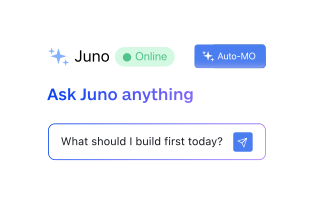
1. Ask it like you would ask a person
No reports, no filters, no prompt engineering, no spelling it right. If Juno does not understand you, it asks. If it does not know, it says so.
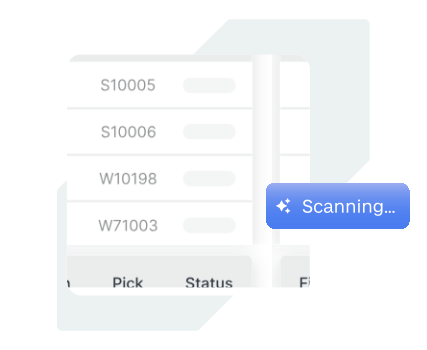
2. Juno reads your operation and drafts the work
Open orders, what is on hand, what is already committed, what is inbound, and the vendor terms and lead times from your own purchase history. Every number comes from your data.
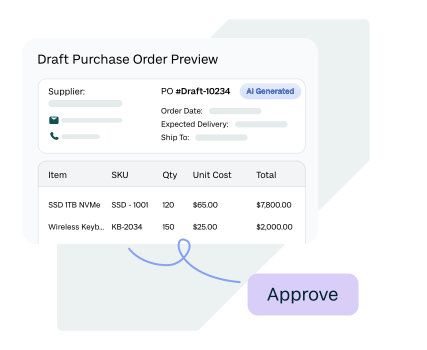
3. Nothing changes until you say so
Juno lays out exactly what it will do: which vendor, what price, what terms, against which order. Then it waits for your approval.
Seeing the problem isn't enough. Juno gets the work done.
Ranked, not just red
A dashboard gives you five red numbers. Juno tells you which two actually cost you money if you ignore them, and why the other three can wait.
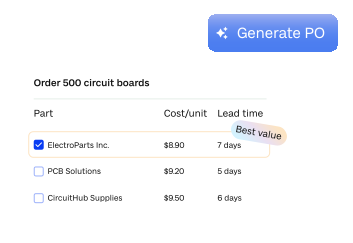
It puts a number on doing nothing
"Ship what you have and cancel the rest" is what happens when the day gets away from you. Juno names that option and prices it, so it becomes a choice instead of an accident.
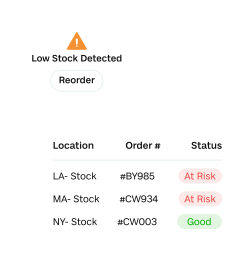
It checks the components, not just the kit
Out of a kit with nothing on hand? Juno checks the components, finds the one part that's actually blocking you, and tells you what you would have left over. You were holding the stock all along, just in pieces.
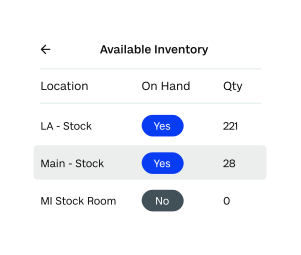
Vendor memory you did not have to keep
Who you bought it from, what you paid, what the terms were, how long they take. Read straight out of your own purchase history instead of out of one person's head.
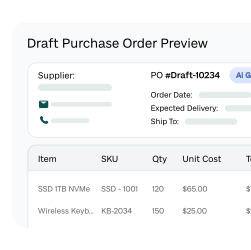
Committing money is not spending money
Net 30 means the purchase order goes today and the cash leaves in thirty days. Juno answers the cash question you did not think to ask.
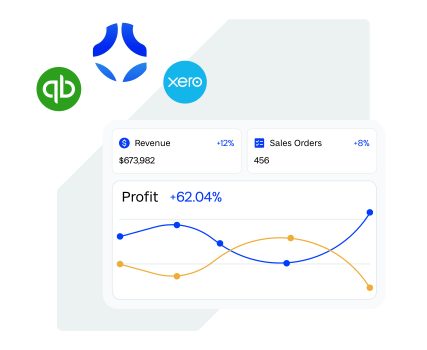
It tells you what not to buy
Perishables it leaves until Monday. A draft order with six weeks of cover it tells you to sit on. An assistant that never says no is a liability.
And it doesn't stop at the answer.
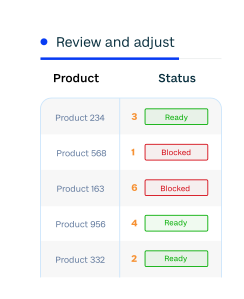
The answer comes to you. The warning comes early. The work comes prepped; purchase orders grouped by vendor with lead times factored in, transfers, receipts, adjustments, build plans. You approve. It's done.
What people actually ask it
Typed the way you would say it out loud, first thing, before the day gets going.
- Good morning. What should I be working on today?
- Which of these actually costs me money if I ignore it?
- Walk me through this order. Why am I short?
- Is anything on the way?
- What are my options to get this customer whole?
- What does it cost me if I ship what I have and cancel the rest?
- What does this do to my cash this week?
- What can wait until Monday?
- Which customers are exposed if this ingredient is short again next month?
- Draft POs for everything below reorder, grouped by vendor.
- Build plan for the next two weeks — do we have the parts?
That question about next month's ingredient exposure is not a report that exists in Fishbowl. Nobody built it. There is no screen for it and no saved view, because nobody knows in advance what you are going to ask.
Nothing saves without your approval
Read, propose, approve
Everything up to the approval step is Juno reading and thinking. It lays out what it will do, to which vendor, at what price, on what terms, against which order. Then it waits for you.
Doing more does not mean less control
When Juno proposes four changes at once, you get one approval instead of four. The approval step never goes away, it just stops being repetitive.
Your data stays yours
Fishbowl is SOC 2 compliant, and that applies to the AI functionality too. Your data is not used for training and is not shared with any other customer.
It says no, and tells you why
Juno declines things: perishables it is too early to buy, stock it would rather you left alone. And every reason is stated in terms of your business — the cash, the shelf life, the cover you already have.
What operators are saying
“This will let me do the parts of my job I actually want to do. It'll let me help grow the company rather than just sitting at the computer.”

“We're always looking to become more efficient. Juno will definitely help us do that.”

“Don't think of Fishbowl as the Fishbowl of yesterday — this is a whole new Fishbowl.”

“Juno saves me at least 45 minutes per purchase order. It's phenomenal.”

Juno runs on Fishbowl Inventory
See it working against a real operation: the orders, the stock, the vendors, and the approval step.
Fishbowl does more of the operational work. QuickBooks keeps the books.
Questions people asked on the webinar
Do I need to set anything up?
No. There is no setup step and no configuration. Nobody sits down and teaches Juno about your products, your vendors, or your process. It reads the same kind of records you already have sitting in your account.
Can Juno change my data?
Only what it has shown you, and only after you approve it. Juno lays out exactly what it is about to do: the vendor, the price, the terms, the order it is against. Then it waits. When the right answer is to do nothing, it says so.
Is my data safe?
Fishbowl is SOC 2 compliant, and that applies to the AI functionality as well. Your data is not used for training, and it is not shared with any other customer.
What can Juno do today?
Juno is in beta and new capability is shipping continuously, so the honest answer changes week to week. You get the current capability list, including what it cannot do yet, when we confirm your access.
Is Juno available on hosted or on-premise Fishbowl?
Juno is part of Fishbowl's cloud products. Hosted and on-premise Fishbowl Manufacturing and Fishbowl Inventory can answer operational questions in plain English from your Fishbowl data, but Juno itself is cloud only.
What if it does not understand me?
It asks you to clarify. There is no prompt engineering and no need to spell everything right. And if Juno does not know the answer, it tells you that rather than guessing.
See what Juno takes off your plate
A demo built around how you run today: watch Juno catch your shortages, draft your POs and build plans, and answer the questions that eat your morning.
- 1 Fill out the form. It takes about fifteen seconds.
- 2 We build the demo around your operation. Your purchasing, production, and fulfillment. Not a generic script.
- 3 Count the hours. One customer gets back at least 45 minutes on every purchase order. We'll show you where yours come from.
Bring your hardest questions. If Juno can't do something yet, we'll tell you that in the demo, not after you've signed.
Ready to meet Juno?
Book your personalized demo.
By submitting this form, you agree to our Privacy Policy